


What you will learn
- Who can sell and how to get started
- How to build a complete seller profile
- What makes a useful, buyer friendly listing
- How promotions, trust tools and payments work
- How to turn good service into repeat sales
Why sell on Zukarte?
Zukarte is designed for individual sellers, creators and businesses that want a simple way to reach buyers. You can begin without creating a separate storefront or going through a lengthy approval process. The same account lets you buy and sell, so moving between both sides of the marketplace feels natural.
During the launch period, sellers can create unlimited listings without a listing fee. Products can be managed through the mobile app or website, while ZPoints, seller ratings and Zukarte Shield help sellers improve visibility and build confidence with buyers.
Create your seller account
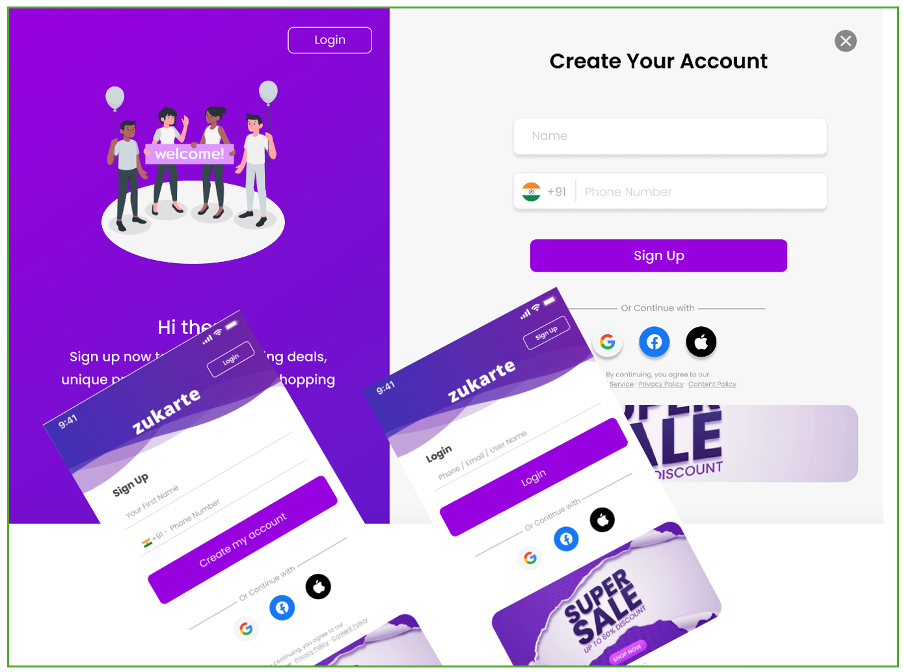
Start in the Zukarte app or on the website and choose Sign Up. Register with your mobile number or an available social login, complete the mobile OTP step and verify your email before publishing a product.
- Create your account with a mobile number or social login.
- Complete mobile verification using the OTP sent to you.
- Verify your email to activate seller tools.
- Add your name, profile image and location.
- Open the listing area when you are ready to sell.
Set up a trusted profile
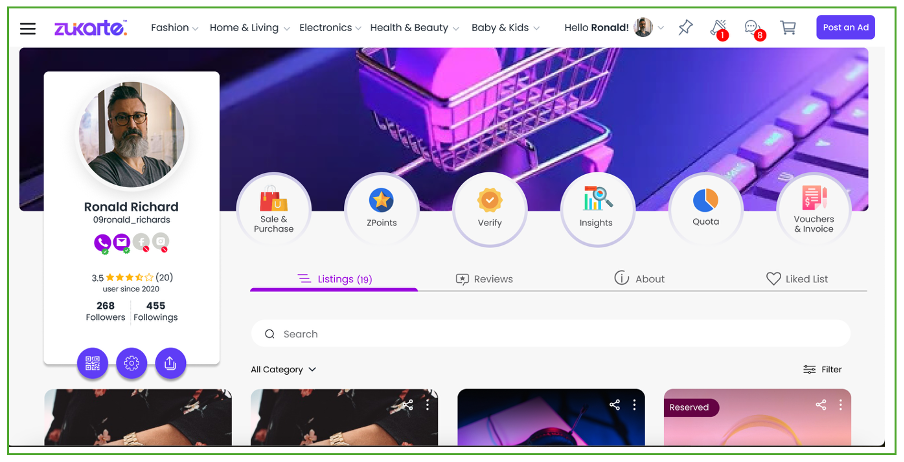
Your profile works like a compact digital shopfront. Use a clear personal photo or business logo, write a short introduction that explains what you sell and keep your contact and location details current.
Add the bank account or UPI details requested in your profile settings so eligible payments can be released without unnecessary delay. Buyers are more comfortable contacting sellers who look active, transparent and easy to identify.
List your first product
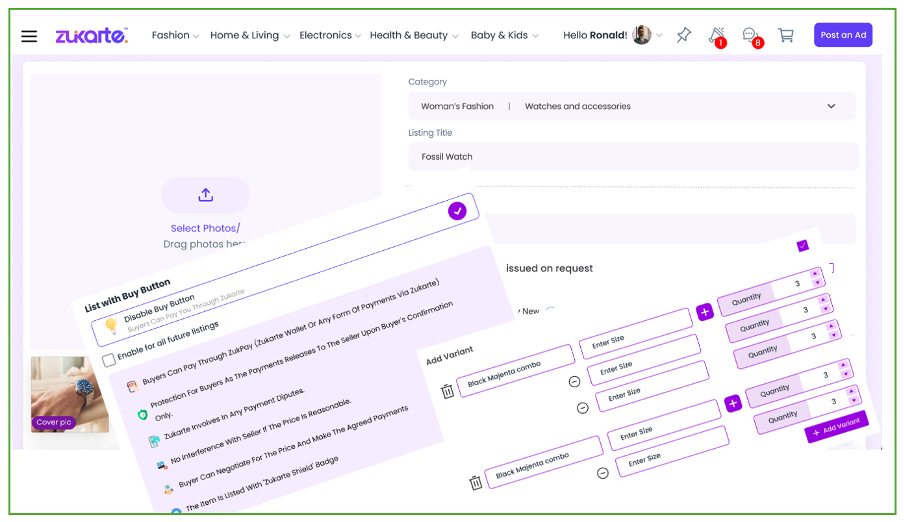
Select the plus icon in the app or Post an Ad on the website. Upload several bright, clear photographs that show the product from useful angles. Write an accurate title and describe the size, material, colour and condition in plain language.
- Choose the correct category so buyers can discover the item.
- Add two to five useful photographs.
- Write a concise description with the important facts.
- Set a realistic price and decide whether to accept deals.
- Choose whether to enable the Buy Button and Zukarte Shield.
- Review everything, then select List It.
Use ZPoints and promotions
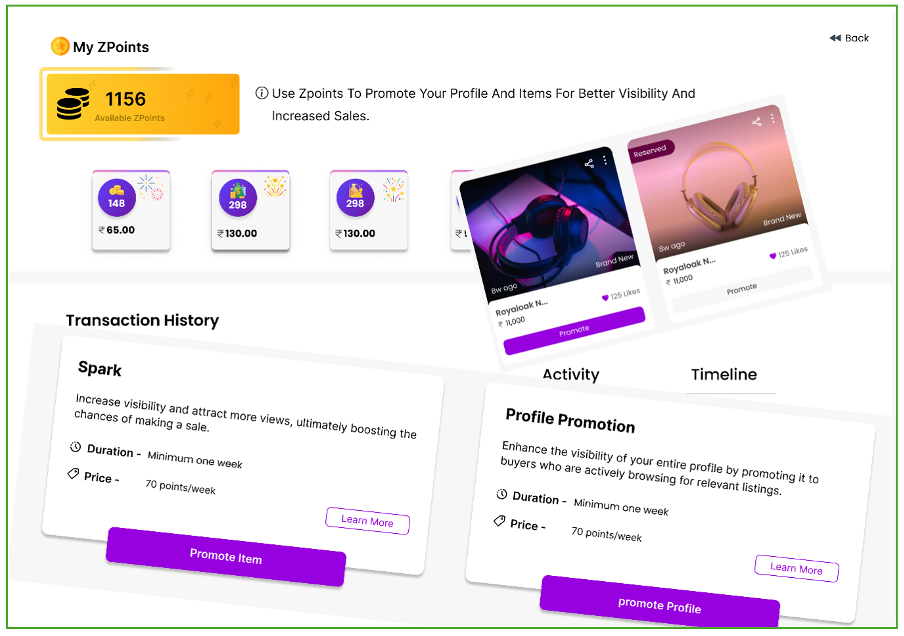
ZPoints help selected listings or your seller profile reach more people. A promotion can lift an item in search and feeds, while the Spark badge makes an active promotion easier to recognise.
Begin with the item that has the strongest photographs and clearest value. Choose Promote, decide how many ZPoints to use and monitor the result from your dashboard. Promotion works best when the listing itself is already complete.
Understand badges and trust signals
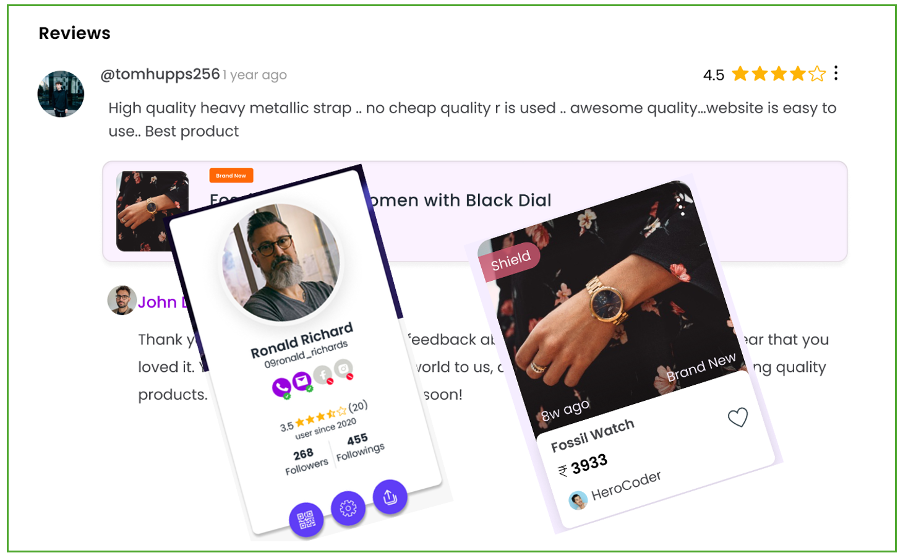
Badges give buyers quick context about a seller or listing. A Shield badge indicates that the protected payment process is enabled, while a Spark badge identifies an active promotion. Reviews and ratings add another layer of useful social proof.
Trust grows when your description matches the item, your messages are helpful and the order is handled as promised. Over time, consistent service becomes more valuable than any single badge.
Manage orders and conversations
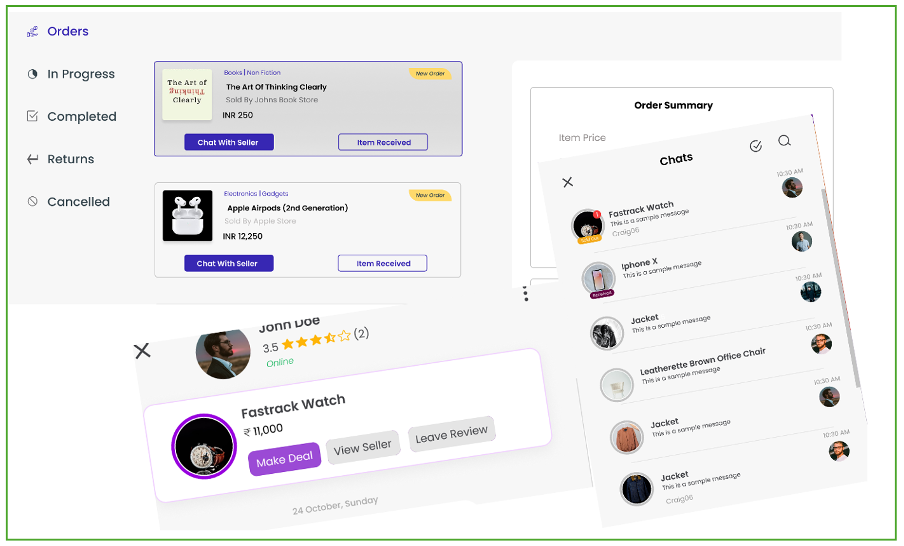
Respond to questions promptly and keep answers polite, specific and honest. When a buyer uses the Deal option, review the offer and choose to accept, counter or decline. Clear communication reduces uncertainty and helps both sides agree on the next step.
After an order is placed, use your profile dashboard to view its details and update its status. If Zukarte Shield is active, the payment remains protected while the transaction is completed.
Handle shipping and delivery
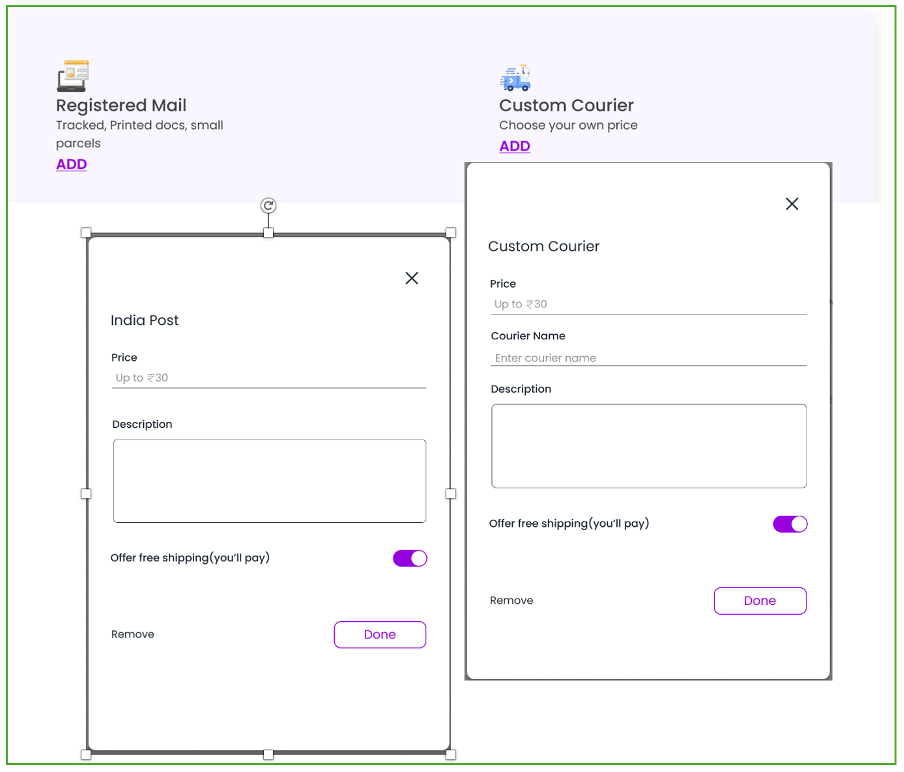
Choose packaging that protects the item during transit, especially around corners, screens and fragile components. Select a reliable courier with tracking and share the tracking details with the buyer as soon as the parcel is collected.
Update the order status and communicate early if a delay occurs. For an agreed local handover, choose a safe public location and let someone know where you are going.
Receive your payments
When Zukarte Shield is enabled, the payment is held while the item is delivered and checked. After the buyer confirms that the order arrived as expected, the eligible amount is released to the registered bank account or UPI details.
Keep your payment information accurate and review your transaction records regularly. Payment flows and wallet availability may change as the product develops, so check the current information shown inside your Zukarte account before completing a transaction.
Grow through reviews and ratings
Positive feedback is earned through accurate descriptions, quick replies, careful packaging and dependable delivery. Invite buyers to share an honest review after a successful order, then use that feedback to improve future listings.
Start with one or two well presented products, learn from each conversation and grow at a comfortable pace. A reliable seller history can make the next buyer more confident before they even send a message.
Ready to list your first item?
Complete your profile, choose one useful product and focus on presenting it clearly. Your first listing is the simplest way to learn how Zukarte works.
Start selling on Zukarte ↗